
Save a chart to a file
file=NAME writes the chart to an SVG file, and usql draws nothing in the terminal. A browser opens the file, and a page or a document can show it.
select month, coffee from sales order by month_no\chart title='Coffee sold' file=coffee.svgusql writes the file, then prints Wrote chart to file "coffee.svg". With -q, it prints nothing. This is the file:
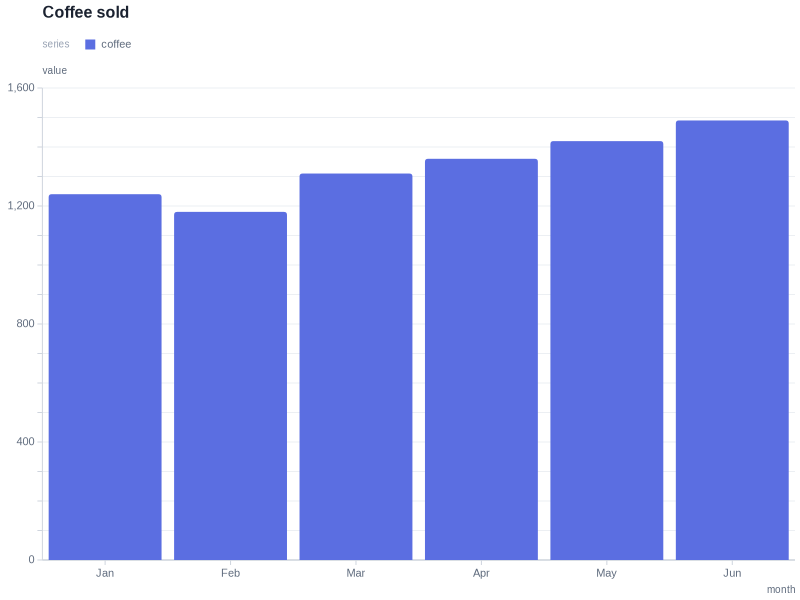
In a terminal that draws images, the same \chart without file= draws the chart in place. The example uses the tables of the gallery.
The file
Section titled “The file”- usql writes SVG, whatever the name of the file ends with. Give the file a name that ends with
.svg. - A name with no directory is in the working directory of usql.
- The directory of the file must exist. If it does not,
\chartstops with an error such asopen charts/coffee.svg: no such file or directory. - usql replaces a file that exists, and does not ask first.
sizesets the size of the SVG file, as it does for a chart in the terminal. The default is800x600.
In a terminal that draws no images
Section titled “In a terminal that draws no images”file= needs no terminal graphics. It works in a terminal that draws no images, in a script of -f, and in a pipe. Without file=, \chart in such a terminal stops with this error:
error: \chart: graphics not supported in terminalTerminal graphics says how usql chooses the graphics.